Free Chrome Extension

A CSS Selector Tool Built for GTM

Getting the right CSS selector for Google Tag Manager used to mean opening DevTools, copying fragile DOM paths, and hoping they still work after the next site update. This extension generates stable selectors anchored to IDs and class names, so they survive redesigns, A/B tests, and CMS updates. Hover over any element, click to capture, paste into GTM.

Add to Chrome, it's free
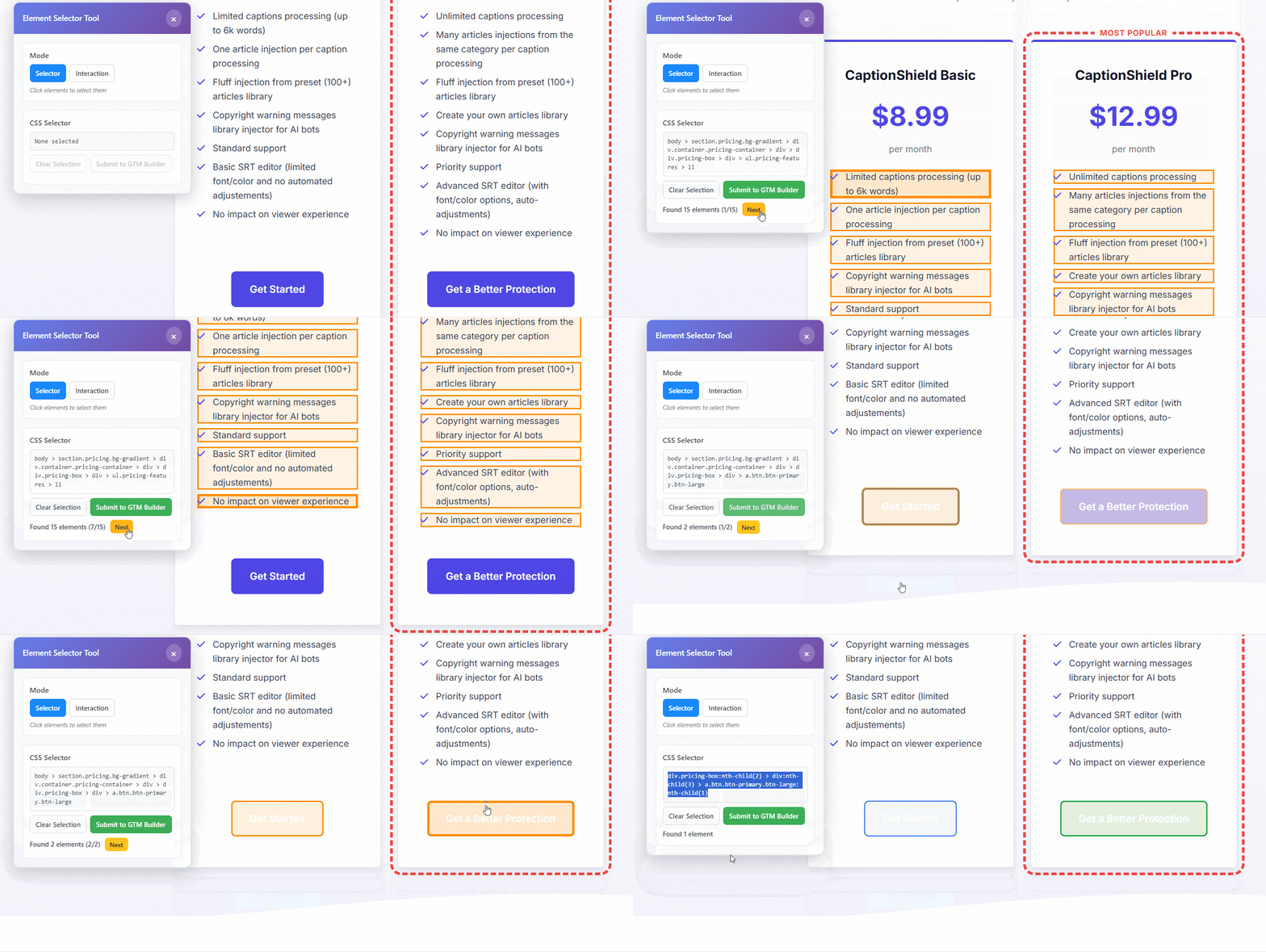
GTM CSS Selector Extension hovering over a page element and capturing a CSS selector

How it works

1
Activate the extension

Click the extension icon on any page. It activates across your entire domain so you can navigate freely without re-enabling it.

2
Hover to highlight

Move your cursor over the element you want to track. It highlights in real time so you know exactly what you're selecting before you click.

3
Click and copy into GTM

Click the element to capture its selector. You get a clean, stable selector ready to paste into GTM. No DevTools, no guessing, no paths that break when the page changes.

Not all selectors are equal

Copy a selector from DevTools and it works fine, until someone adds a wrapper div, runs an A/B test, or the CMS updates a template. Then your GTM trigger stops firing and you have no idea why. This extension generates selectors anchored to IDs, class names, and data attributes, the parts of a page that stay consistent, so your tracking keeps working even after layout changes.

Selectors that survive updates

Prioritizes IDs, class names, and data attributes over positional DOM paths. Your GTM triggers stay valid after a redesign, a CMS update, or an A/B test.

Iframe detection built in

GTM can't reach elements inside iframes. The extension flags them immediately so you know before spending time on a trigger that will never fire.

Works across the whole domain

Activate once and it stays active across the entire domain. Navigate freely and select elements on any page without restarting the tool.

No account needed. No data collected. Everything runs locally in your browser. Nothing leaves your machine.

Give it a try. It takes 30 seconds to install.

Free, no account, no setup. Works on any site where you need GTM selectors.

Add to Chrome